
Deploying Jenkins X: Enhancing CI/CD for Cloud-Native Transition

Jenkins X is an option for teams evaluating CI/CD workflows for Kubernetes. Before adopting it, consider how your team builds, tests and promotes changes today, and which parts of that process need improvement. This article introduces the platform in that context.
Table of Contents
Understanding Jenkins X
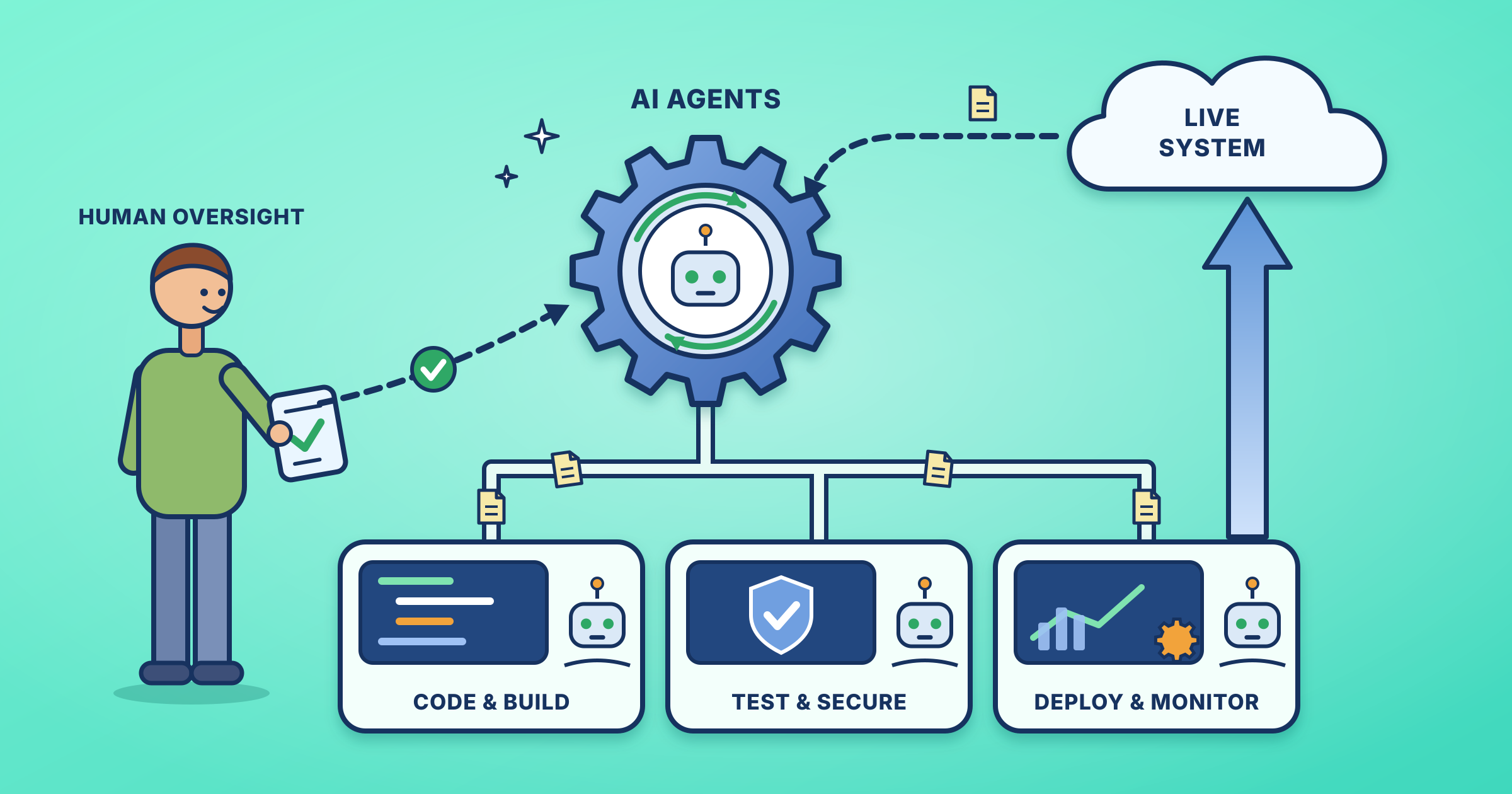
Jenkins X is a cloud-native CI/CD platform designed to leverage Kubernetes and GitOps principles for automating the software development lifecycle. It simplifies CI/CD pipeline setup and management, allowing teams to focus on delivering value rather than managing infrastructure.
Key Benefits of Jenkins X
- Accelerated Development: The platform automates the build, test, and deployment process, reducing time-to-market.
- Improved Quality: Automated testing and code analysis ensure high-quality and reliable software.
- Enhanced Collaboration: GitOps-based workflows foster collaboration and transparency among development teams.
- Increased Efficiency: Automation of repetitive tasks liberates developers to focus on innovation.
- Scalability: Designed to handle complex projects and growing teams seamlessly.
Implementing Jenkins X for Cloud-Native Transition
- Choose the Right Cloud Platform: Opt for a cloud provider that aligns with your needs and offers robust Kubernetes support (e.g., AWS, GCP, Azure).
- Set Up a Kubernetes Cluster: Create a Kubernetes cluster on your chosen cloud platform. Utilize managed Kubernetes services for easier management.
- Install Jenkins X: Deploy Jenkins X using the jx install command on your Kubernetes cluster. Customize the installation based on your project needs.
- Create a Git Repository: Set up a Git repository to host your application code and configuration files.
- Define CI/CD Pipelines: Develop Jenkinsfiles to define your build, test, and deployment processes. Utilize the platform’s built-in features for efficiency.
- Configure Environments: Set up various environments (development, staging, production) to manage your application lifecycle effectively.
- Deploy Applications: Jenkins X will automatically deploy your application to the designated environments based on pipeline success.
Best Practices for Jenkins X Adoption
- Start Small: Initiate with a simple project to get acquainted with the platform, then gradually expand its usage.
- Leverage GitOps: Use GitOps for declarative configuration management and enhanced collaboration.
- Utilize Built-in Features: Exploit the platform’s pre-configured pipelines and plugins to expedite development.
- Monitor and Optimize: Regularly monitor pipeline performance and optimize for better efficiency.
- Foster a DevOps Culture: Promote collaboration between development and operations teams for successful adoption.
Is it the right fit for your team?
This approach makes the most sense when your applications already run on Kubernetes and your team is comfortable keeping its configuration in Git. If you are still running a handful of virtual machines, the learning curve will probably cost you more than it saves.
A good way to test the idea is a pilot. Pick one small service that nobody is afraid to touch, move its pipeline over, and watch how long a change takes from commit to running in staging. Compare that with what you do today. If the gap is large, you have your answer. If it is small, your existing pipeline may be fine.
It also helps to be honest about who will look after it. Someone on the team needs to understand how the environments, the Git repositories and the cluster fit together, because when a promotion fails late on a Friday, a diagram on a slide will not help. Give that person time to learn the tool before you roll it out to everyone.
Finally, check how your current tests behave. Slow or flaky tests will stay slow and flaky inside any new pipeline, so it is worth fixing them first.
In Summary
Jenkins X is an invaluable tool for organizations transitioning to a cloud-native approach. By adopting the platform, you can significantly enhance your CI/CD capabilities, accelerate software delivery, and improve overall software quality. As cloud-native technologies evolve, the platform may remain a crucial asset for organizations aiming to stay ahead in the competitive landscape.
Further reading: Jenkins X official site
Keep exploring: See all SRE and DevOps guides.

Leave a Reply