
Prompt Engineering Best Practices: 10 Tips for Better AI Answers

Prompt engineering best practices are the simple habits that turn a vague request into an answer you can actually use. If you have ever typed a quick question into an AI tool and got a bland or plainly wrong reply, the prompt was usually the problem, not the model. The good news is that a handful of small changes fixes most of it. In this guide I walk through ten practical tips that work with any chat assistant or AI API.
Table of Contents
What Are Prompt Engineering Best Practices?
Prompt engineering is the craft of writing instructions that steer an AI model toward accurate, relevant output. Prompt engineering best practices are the repeatable habits behind that craft: be specific, share context, show examples, ask for structure and keep testing.
Think of the model as a brilliant new colleague who knows nothing about your project. Hand over a one-line note and you get a one-line guess. Hand over a short brief and you get useful work. Most guides, including Hostinger’s walkthrough of prompt engineering best practices, land on the same idea even when their lists differ: a prompt works like a small contract that says who, what, for whom and in what shape. Official guidance agrees. The NSW Government’s chatbot prompt essentials for public servants teaches the same basics: state your objective with an action verb, add context, mark your input with delimiters and split big tasks into smaller steps.

Tips 1 to 3: Get the Basics Right
The first three prompt engineering best practices cost almost nothing and fix most weak prompts.
Tip 1: Lead with the task
Put the instruction first and the supporting material after it. Opening with a direct verb such as write, compare, summarise or classify tells the model what job it is doing before it reads a single detail. Compare “Here is a long email thread, can you help?” with “Summarise the email thread below in three bullet points.” The second one leaves no room for guessing.
Tip 2: Be specific about the outcome
Vague in, vague out. Name the audience, tone, length and limits. “Explain Kubernetes” gets you a textbook paragraph. “Explain Kubernetes to a finance manager in 150 words using one everyday analogy” gets you something you can send.
Tip 3: Give the model a role
Assigning a persona, such as a technical editor or a patient teacher, nudges the language, depth and assumptions of the reply. Salesforce’s overview of prompting techniques describes role prompting as asking the model to adopt an expert viewpoint so its answers shift accordingly. It costs one short sentence and often lifts quality noticeably.
Tips 4 to 6: Show, Separate and Structure
The next three prompt engineering best practices make your instructions easy for the model to read and follow.
Tip 4: Show an example
When you want a particular style or format, show it. A single example is called one-shot prompting, and a few examples is few-shot prompting. Both let the model copy a pattern instead of inventing one. For simple, familiar tasks you can skip examples entirely, which is known as zero-shot prompting.
Tip 5: Separate instructions from content
If you paste an article, a log file or a customer email into your prompt, mark where it starts and ends. Quotation marks, triple backticks or XML-style tags all work. Clear delimiters stop the model from mistaking the text you pasted for instructions to follow.
Tip 6: Specify the output format
Tell the model what shape you want back: a bulleted list, a table, valid JSON, a code block or two short paragraphs. You can also say what to leave out. Telling the model to skip the preamble, for example, is a simple form of negative prompting, as described in this overview of eight prompting types.
Tips 7 to 9: Think, Ground and Check
These three prompt engineering best practices protect you from answers that sound confident but are wrong.
Tip 7: Ask for step-by-step reasoning
For analysis, maths or decisions, ask the model to work through the problem before giving its answer. This is chain-of-thought prompting. A related trick, self-consistency, runs the same question several times and keeps the answer that appears most often. Both are covered in this list of ten prompt types.
Tip 8: Provide the facts
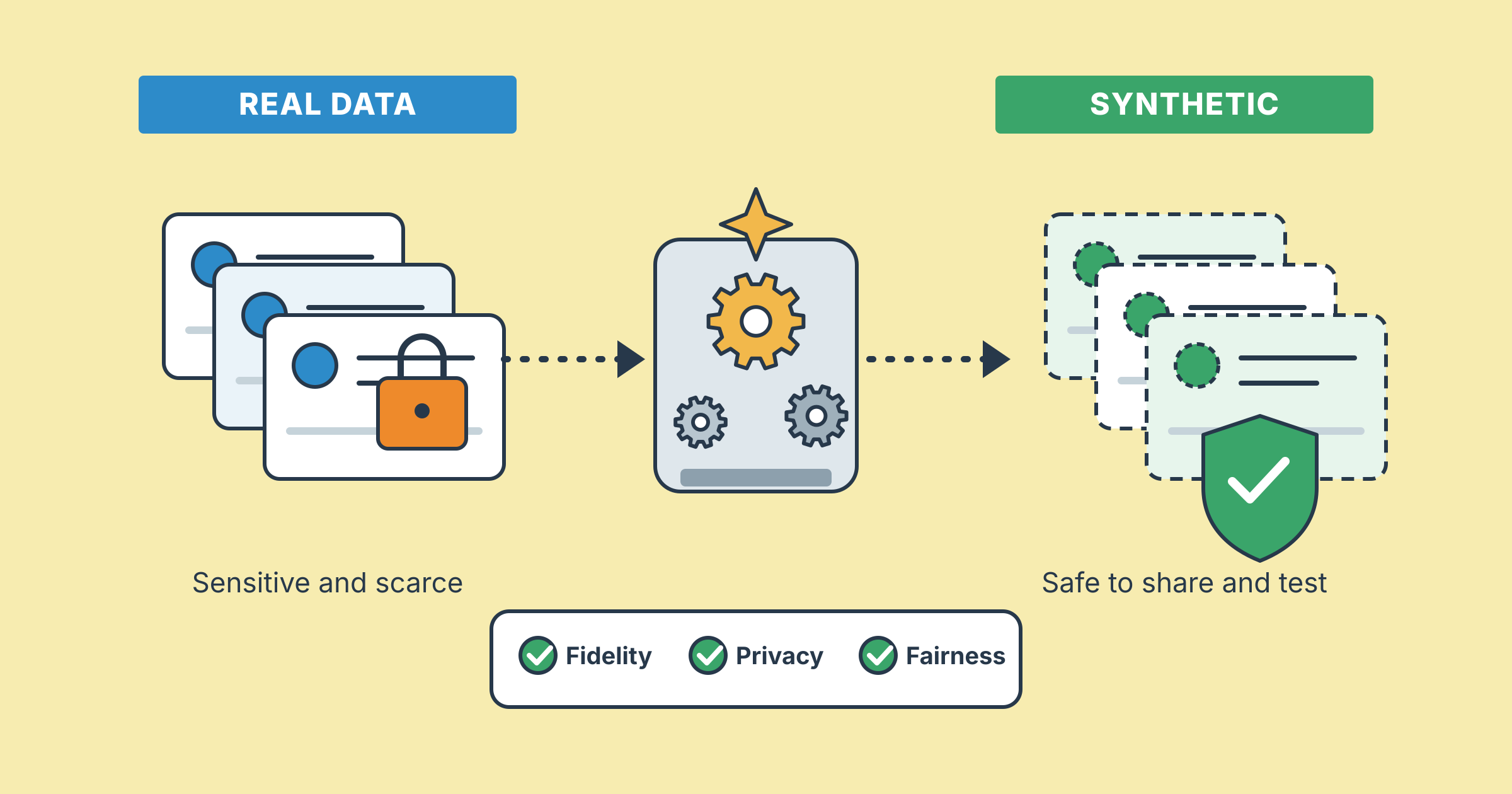
Models do not know your private documents or the newest facts. Paste in what matters, or connect the model to a knowledge source so it can retrieve it. That second approach is retrieval-augmented generation, usually shortened to RAG. If the data is sensitive, mask or replace real values first. My guide to synthetic data explains one safe way to get realistic test material without exposing real people.
Tip 9: Ask for evidence and allow “I don’t know”
Hallucination is when an AI states something false with total confidence. You can reduce it by asking for sources and by explicitly giving the model permission to say it is unsure. Then check the important claims yourself. Prompting lowers the odds of a bad answer. It never replaces your judgement.

Tip 10: Iterate and Think Beyond One Prompt
The tenth of the prompt engineering best practices is the one that ties the rest together. Nobody writes the perfect prompt on the first try, and that is fine. Treat prompting as a loop: draft, test on a few real examples, review the output and refine. Change one thing at a time so you know what actually helped.

When a task is too big for one prompt, split it. Prompt chaining breaks the job into smaller steps and feeds each answer into the next. Research first, outline second, draft third. Each step is easier to check than one giant request.
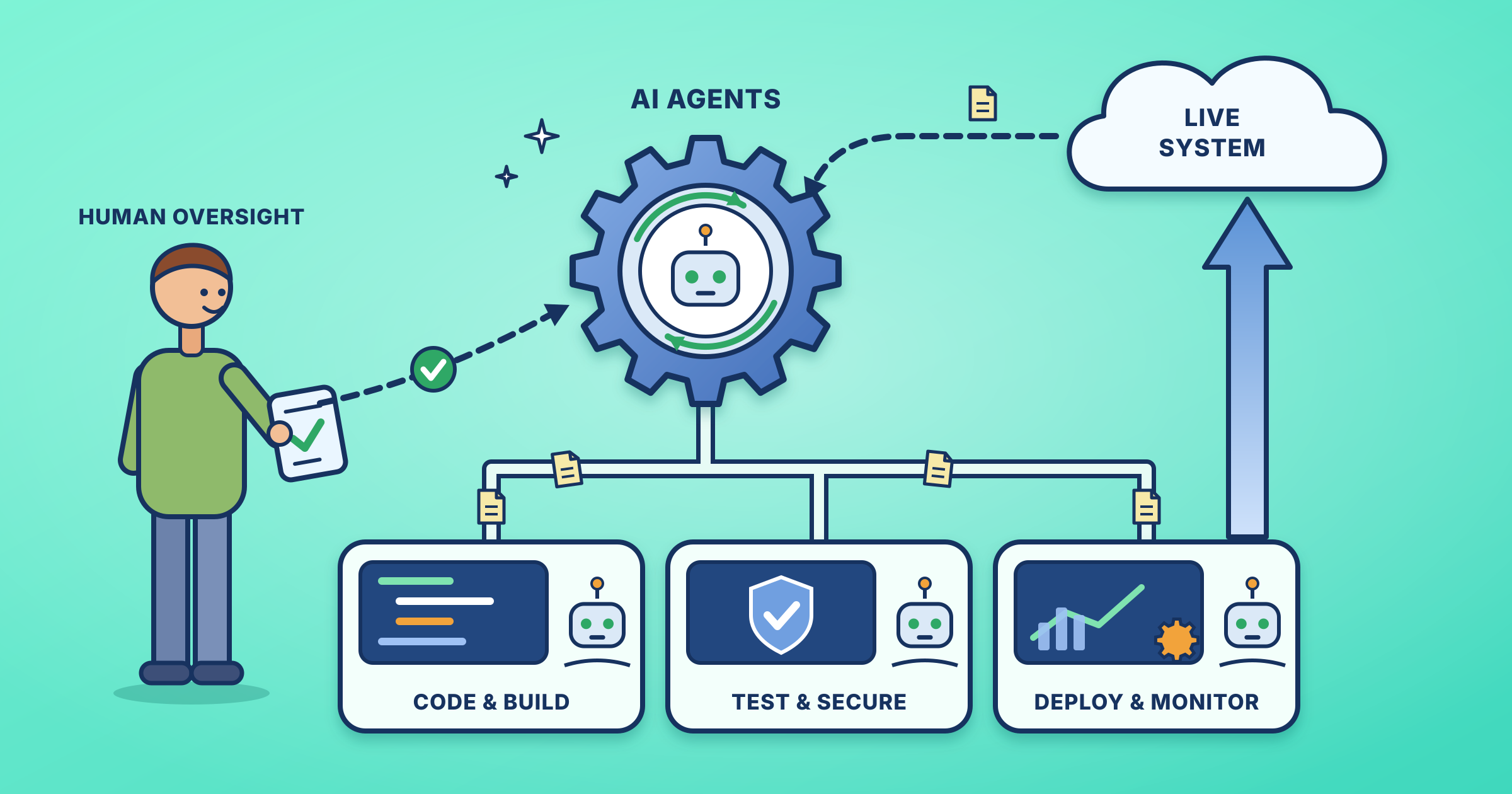
There is also a bigger shift worth knowing about. Many AI teams now talk about context engineering, which designs everything the model sees: the prompt, memory, retrieved documents, tool output, format rules and guardrails. The New Stack and Neo4j both describe it as going beyond a one-time instruction. Good prompts remain the foundation of that work, and they matter even more when AI agents act on your behalf, as I explored in Agentic DevOps in Action.
Risks and Mitigations
Following prompt engineering best practices reduces problems, but it does not remove them. Here are the traps I see most often and how to avoid them.
| # | Risk | What it looks like | Mitigation |
|---|---|---|---|
| 1 | Vague prompts | Generic, off-target answers | Name the task, audience, length and format up front |
| 2 | Made-up facts | Confident claims with no source | Ask for evidence, allow “I don’t know” and verify key points |
| 3 | Sensitive data in prompts | Personal or confidential details pasted into a public tool | Mask or replace values, restrict access and keep an audit trail |
| 4 | Tangled mega-prompts | The model ignores half of your instructions | Use delimiters, or split the job with prompt chaining |
| 5 | Silent prompt drift | A once-reliable prompt slowly gets worse | Version your templates and re-test them on a fixed set of examples |
A Roadmap for Prompt Engineering Best Practices
You do not need to adopt all of these prompt engineering best practices at once. This simple roadmap gets a person or a small team there step by step.
| # | Step | What to do | Outcome |
|---|---|---|---|
| 1 | Audit | Collect the five prompts you use most often | A clear baseline to improve |
| 2 | Template | Rewrite each with role, context, task and format | Reusable, readable prompts |
| 3 | Examples and delimiters | Add one sample output and mark pasted content | More consistent style and structure |
| 4 | Grounding | Supply facts, ask for evidence, allow “I don’t know” | Fewer made-up answers |
| 5 | Test set | Run each prompt on three to five real inputs | Proof that changes actually help |
| 6 | Version and share | Store templates in Git, as covered in GitOps for AI Workloads | A shared, reviewable prompt library |
| 7 | Review regularly | Re-test prompts when the model or task changes | Reliability that lasts |
FAQ
Is prompt engineering still worth learning?
Yes. Even as the field moves toward context engineering, clear instructions remain the base layer. Everything else builds on them.
Do prompt engineering best practices work on every AI model?
The core habits do: clear tasks, context, examples and formats help with nearly any model. Details such as preferred delimiters can differ, so test on the tool you use.
What is the single most important tip?
Be specific. State one clear task and give the context a smart stranger would need. That fixes more problems than any clever trick.
What is the difference between zero-shot and few-shot prompts?
Zero-shot gives only the instruction. Few-shot adds a handful of examples so the model can copy the pattern.
Do I need to know how to code?
No. Plain language is enough for most work. Developers can go further with code libraries such as LangChain to manage and chain prompts.
Final Thoughts
Prompt engineering best practices come down to a few kind habits: say clearly what you want, share what the model needs, show what good looks like and keep refining. Start with tips one to three today, add the rest as your tasks grow, and keep your best prompts as templates. Apply these prompt engineering best practices consistently and the model will not suddenly get smarter, but your results will.
Keep exploring: See all SRE and DevOps guides.

Leave a Reply